Hi,
we are having an issue with the PDF Creator Server.
I installed version 4.0.1 on a windows printserver (server 2025).
When the printers were shared via windows printermanagent and a client tried to add the printer we recieved an error.
Printer driver couldn't be added due to certificate problem.
I once had this issue and could solve it by upgrading the software 'PDF Creator Server' to the latest version and then exporting the drivers and replacing them in the windows printermanagement. (see: Error code 800f0242 - PDFCreator - pdfforge forums)
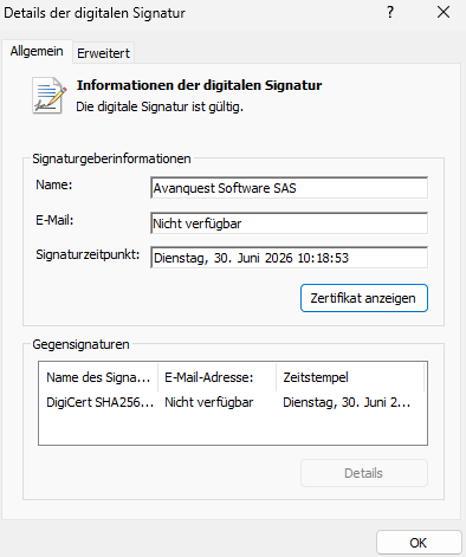
The installer of PDF Creator Server is signed with a valid certificate:
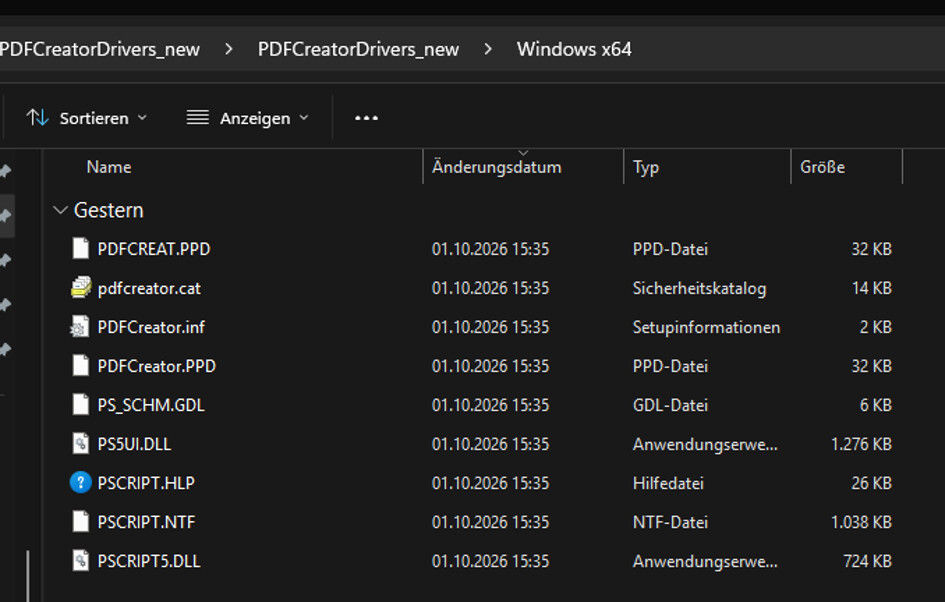
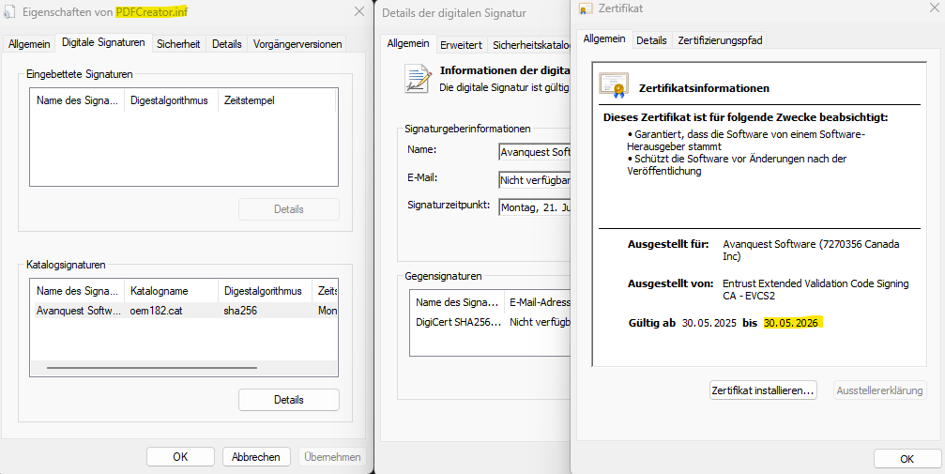
the exported driver isn't
expired on May 30 2026
To get it working, i need a driver thats signed with a valid certificate.
Help would be great.
I also tried to use the contact form from the website, but didn't recieve an email regarding a opened ticket.
Hi,
the driver was signed with a valid certificate when published and has a valid timestamp (check the pdfcreator.cat) - the certificate itself will always expire at some point, but this shouldn't matter, as long as the signature has a valid timestamp which proves it was valid at the date of signing.
During INF2CAT/driver packaging, a catalog (.cat) file is generated containing cryptographic hashes of every file in the package's CopyFiles sections — including the .inf, the driver binaries, etc. That .cat file is what gets signed. At install time, Windows reads the CatalogFile= line in the .inf, locates the matching .cat, verifies its signature, and then checks that the hashes inside match the actual files on disk (including the .inf). So the .inf's integrity is already covered transitively through the catalog's hash list — a separate signature on the .inf itself isn't needed or supported.
So I assume you are receiving an incorrect / general error message from Windows when trying to install the driver on a client through Point&Print, please check this kb article and see if it solves the issue:
Unfortunately, there are also some scenarios in which this alone wont fix it.
Driver architecture / corrupted driver store on the client
- Remove any existing/failed instance of the printer from Settings → Printers & Scanners.
- Open
printmanagement.msc → Print Servers → (client) → Drivers, and delete any leftover PDFCreator driver entries from prior failed installs.
- Under Ports, remove any orphaned ports tied to that printer, in this case pdfcmon (don't touch unrelated ports).
- Reboot the client.
- Re-add the printer
If it still fails, stop the Print Spooler (net stop spooler), rename %WinDir%\System32\spool\drivers\x64\3 (or clear the driver Version-3 registry subkeys under HKLM\SYSTEM\CurrentControlSet\Control\Print\Environments\Windows x64\Drivers\Version-3 — export/back up first), then net start spooler and retry. This clears a corrupted local driver cache that's a known trigger for 0x000003eb.
If the print server is Windows Server 2025 and the client is older (2016/2019)
There's a currently-open Microsoft compatibility bug (Jan/Feb 2026 cumulative updates) where a newer print-stack DLL served from a 2025 print server overwrites and breaks the older client's driver UI module, also surfacing as 0x000003eb. If that matches your setup, install the PDFCreator client driver locally on the older box instead of via Point-and-Print from the 2025 server, or host the shared queue from a Server 2022 box instead.
Best regards,
Robin